Face Swap Video–AI Photo Swap
- 4.4
- Rating
- 5.00M
- Installs
- Free
- Price
 Analysis by App-foxy
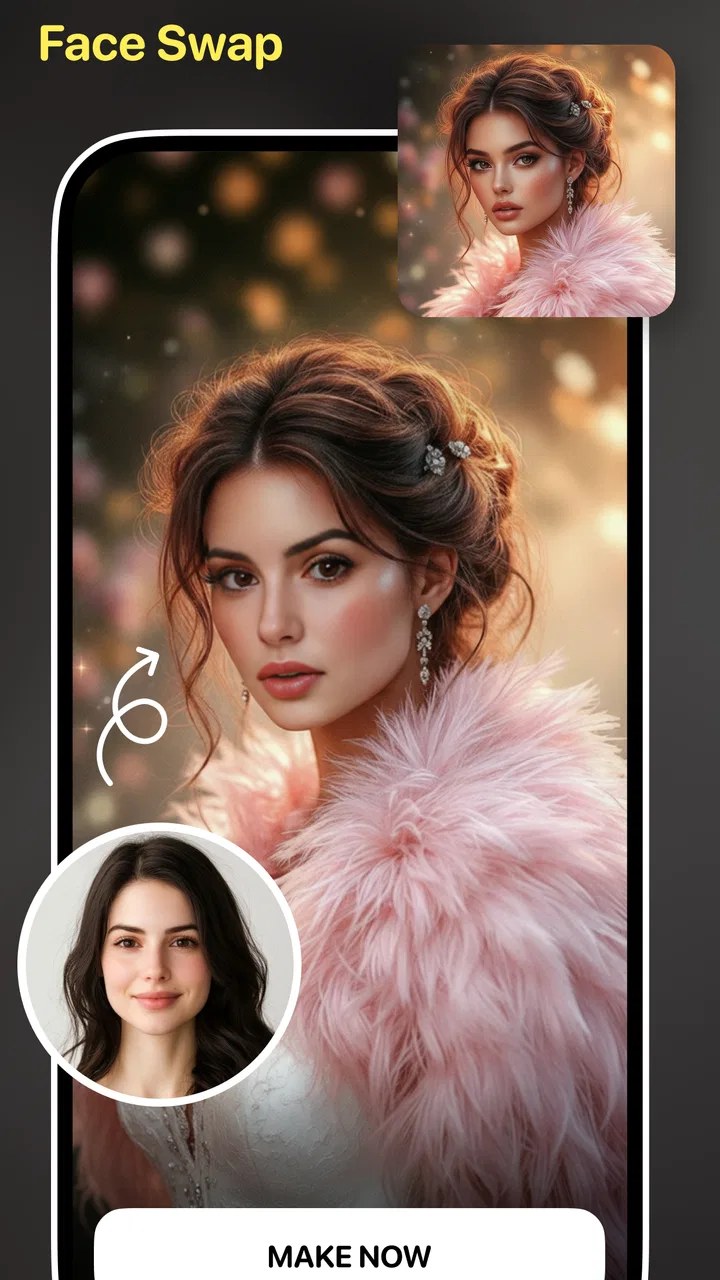
I approached Face Swap Video–AI Photo Swap as a creative tool rather than a simple novelty filter. Its main appeal is easy to understand: you can turn a familiar face into a comic, cartoon, or more polished avatar, then use that result in visual projects or casual videos. In my experience, the interesting question is not only whether the face swap looks entertaining, but also how much control you keep while creating and sharing the result.
This is an Android app in the Art & Design category, developed by Hangover Studios. It is free to install, rated for Everyone, and has reached over five million installs with a 4.4 average from roughly fifty-nine thousand ratings. Those figures suggest that it has found a broad audience, but popularity alone does not tell me whether it is the right choice for every face-editing task. The practical details matter more: what you want to create, how comfortable you are supplying personal images, and whether you need a quick effect or careful creative control.
What the app feels like in everyday use
The strongest use case is a fast transformation. You start with a face image or video idea and aim for something that feels visibly different without opening a complicated desktop editor. That makes the app suitable for a profile image, a playful birthday clip, a group-chat joke, or a quick visual experiment. I would recommend it first to someone who wants a result in minutes, not to a designer who needs exact control over every layer, mask, color, and facial detail.
You May Also Like

 Blood Strike: 2.5 Anniversary
Blood Strike’s Loadouts Turn Every Drop Into a Tactical Gamble
A close look at Blood Strike’s custom loadouts: how fast access to signature weapons reshapes its battle royale rhythm, rewards preparation, and narrows the gap between fights.

 Pandora - Music & Podcasts
Pandora’s Music Is Easy to Start, but Harder to Recover
Pandora’s strength is its low-effort path from a seed to a station. Its weak spot is how much confidence it asks you to place in connection, setup, and quiet recovery.

 8 Ball Pool
 Is Built on Rivalries, Rematches, and Routine
A close look at the rivalries, rematches, shared routines, and unanswered safety questions that turn a quick pool match into a persistent mobile community.

 Samsung Music
’s Quiet Strength Is Playing What You Already Own
Its reach comes less from spectacle than from dependable access to a personal library. That simplicity is both the app’s strongest retention engine and its ceiling.

 AccuWeather: Weather Radar
AccuWeather Review: A Quick, Clear Forecast for Everyday Decisions
For everyday plans, the best forecast is the one you can understand quickly. AccuWeather makes rain timing, radar, and local conditions easy to act on, with a few trade-offs.

 Hill Climb Racing
Why Hill Climb Racing Still Turns Crashes Into One More Run
A tiny car, a bumpy hill and one more upgrade: Hill Climb Racing keeps resurfacing because its simple chaos makes every near-miss feel personal.
More From Our News Desk



The “video” focus changes the experience compared with ordinary photo filters. A still image can hide small errors because the viewer sees one frame. In motion, a slightly misplaced edge, an inconsistent expression, or a face that changes shape between frames becomes much easier to notice. I found that the best results come from starting with a clear face, even lighting, and a relatively steady angle. A dramatic pose may look fun in a single picture but can make a moving swap feel less convincing.
The app’s comic and cartoon direction is also important. Stylized output can be more forgiving than a realistic replacement. If the result has a slightly artificial edge, the illustration-like treatment can make that feel intentional. For that reason, I would use it when the goal is personality and visual exaggeration rather than a seamless cinematic effect. That distinction saves time: choosing a playful style from the beginning is often better than trying to repair an imperfect realistic-looking result afterward.
Who will get the most from it
I see three especially good audiences. First are casual creators who want a quick avatar without learning a full image editor. Second are people making short social posts where a humorous transformation matters more than professional compositing. Third are families and friends looking for a light creative activity, provided everyone whose face appears has agreed to the use.
It can also help someone who wants to test a visual identity before commissioning artwork. For example, I might try several cartoon-like directions for a personal profile picture, compare them in a private folder, and only then decide which style feels natural. The app is useful at the exploration stage because it lowers the effort of trying an idea. I would not treat the generated image as a finished brand asset without checking it carefully at full size.
On the other hand, I would skip it for professional retouching, precise portrait correction, or any project where facial identity must remain completely consistent from frame to frame. A dedicated editor gives better control over selections and adjustments. A video editor with manual masking is slower, but it is the safer choice when timing, edges, and continuity matter more than convenience.
A realistic workflow for a normal day
Imagine I am preparing a short birthday message for a friend. I would first ask permission before using the friend’s face, choose a well-lit image with the face looking toward the camera, and create a cartoon-style version rather than chasing realism. I would inspect the preview for hairline errors, strange eyes, and changes around the jaw. Then I would save the result privately, show it to the person involved, and only share it after they approve the final version.
That workflow sounds cautious, but it is also efficient. Reworking a poor source image wastes more time than choosing a better one at the start. I would keep the original and the generated result separate, especially if I planned to make several variations. Naming files by style or occasion would also help, because quick avatar apps can encourage a large number of similar-looking outputs before you know which one is actually usable.
Trust, controls, and moments that deserve care
Before I make a face-based edit, I decide what the finished image is for and who might see it; that simple pause helps me choose a playful treatment rather than something easily mistaken for reality. I also keep the person in the image involved in decisions about sharing, not just the initial creation. With that boundary in place, I can focus on the practical controls and habits that make experimentation feel more deliberate.
What I can responsibly judge from the product itself
My trust assessment starts with visible choices rather than assumptions. The app is free to download, while optional in-app purchases range from forty-nine cents to fifty-four dollars and ninety-nine cents per item. That makes it worth paying attention to any purchase screen, especially if you are experimenting quickly and tapping through several creation attempts. I would pause before confirming anything and check exactly what the selected item provides.
The current version is 2.1.5 and it requires Android 8.1 or later. These details are useful before installation because an older phone may not support it, while a compatible phone can still vary in camera quality, storage, and processing speed. I would also keep the operating system updated and install the app through the normal official store route rather than relying on an unfamiliar download file.
The age rating is Everyone, which makes the app approachable for a broad audience, but that label should not replace supervision or good judgment. A face-swap tool can be harmless in one context and uncomfortable in another. Children should understand that a funny transformation is still based on someone’s image, and adults should set clear boundaries before using another person’s face in a video or public post.
Permissions and data-sensitive choices
Because this is an image and video creation tool, the moments involving photos, videos, camera access, and saved files deserve the most attention. I would read each permission prompt instead of granting everything automatically. If the app offers a choice between selecting one item and granting broader media access, I would choose the narrower option whenever it is enough for the task.
I would also notice whether a permission is requested at the moment it becomes useful. A request that appears while choosing a photo is easier to understand than a broad request appearing before I have started creating anything. If I do not want to use the camera, I would avoid granting camera access and work from an existing image if the app allows that path. The important principle is simple: give access for the specific creation step, not out of habit.
Face images are more sensitive than ordinary decorative pictures because they relate directly to a person’s identity. I would avoid uploading intimate, confidential, or work-related images unless I had a clear reason and was comfortable with the app’s visible handling choices. I would be especially careful with images containing other people in the background. Cropping first can reduce accidental exposure and makes the face-swap task cleaner at the same time.
I would not infer privacy guarantees from the app’s category, popularity, or friendly interface. Before using it for personal material, I would inspect the current privacy information and the permission wording shown on my device. I would look for choices related to deleting created files, controlling account access if an account is offered, and managing notifications or promotional messages. If a control is available, I would use it; if it is not visible, I would keep the material less sensitive rather than assuming how it is handled.
Keeping control of the finished result
User agency matters after the transformation is complete. I would review the output before sharing instead of treating the first generated version as final. This is not only about visual quality. I would check whether another person appears in the frame, whether the result could be mistaken for a real event, and whether the intended recipient would find it funny rather than invasive.
A useful habit is to separate creation from publication. I might generate several versions, close the app, and return later with a calmer eye. That short pause often reveals issues that are easy to miss while experimenting. It also prevents an accidental tap from turning a private test into a public post. When a result involves someone else’s face, I would send it to that person privately first and accept a request to change or remove it.
I would also avoid using the tool to impersonate someone, mislead viewers, or create humiliating material. The app’s playful purpose does not remove the responsibility attached to the image. A cartoon avatar of a willing friend is very different from a realistic-looking clip presented as if it were genuine. In my view, the safest creative boundary is to make the transformation clearly playful and keep consent explicit.
Where the experience can become frustrating
The biggest limitation is the gap between a quick automated result and a carefully edited image. Automation is convenient, but it can struggle with unusual angles, hair crossing the face, glasses, heavy shadows, fast movement, or several faces close together. I would treat those conditions as warning signs and prepare to reject some outputs rather than expecting every attempt to work.
Video adds another layer of uncertainty because quality must hold across time. A face that looks acceptable in one frame may wobble or lose its alignment in the next. If the clip is important, I would watch it from beginning to end instead of checking only the thumbnail. Shorter clips and simpler movement are generally easier to evaluate, while complicated scenes demand a more capable editor.
The free entry point is helpful, but the presence of paid items means the total experience may depend on which creative options are available without spending. I would explore the free workflow first and decide whether it already meets my needs. If a purchase is tempting, I would compare the cost with the value of the specific project rather than buying repeatedly just to chase a perfect result.
How it compares with familiar alternatives
Compared with a standard photo editor, this app is faster for a face-centered transformation but less precise. A conventional editor is better when I need to remove distractions, correct colors, add text, or refine a composition manually. I would choose this app for the initial avatar idea, then move the selected result into another editor if I needed finishing work.
Compared with a social-network filter, it feels more focused on making a distinct avatar or swap rather than adding a temporary effect during a live conversation. A social app may be more convenient for immediate sharing, while this tool makes more sense when I want to create and review an image before deciding where it belongs. That separation is valuable for privacy-conscious users who do not want every experiment tied to a public feed.
Compared with professional AI art software, the attraction here is a lower barrier to entry. I do not need to understand complex prompts or manage a large creative pipeline to try a face-based concept. The trade-off is reduced control and potentially less consistency. For a quick personal project, that trade-off is reasonable; for client work, identity-sensitive material, or polished campaign assets, I would use a tool with clearer manual controls and a more deliberate review process.
My cautious verdict
I enjoyed the app most when I treated it as a sketchbook for avatar ideas rather than a magic replacement for an editor. Its free starting point, accessible art direction, and focus on face-based video creativity make it easy to recommend for casual experiments. Hangover Studios has positioned it in a space where a few taps can turn an ordinary portrait into something expressive, and that is genuinely useful when speed matters.
Still, I would recommend a careful routine: select the least sensitive image that will work, grant only the access needed for the task, inspect every frame of a video, and get consent before using another person’s face. I would also review purchase prompts deliberately, keep early results private, and avoid presenting playful edits as real events. Those steps do not make the app difficult; they make the creative process more respectful and predictable.
For someone on a compatible Android phone who wants a cartoon avatar, a lighthearted face-swap clip, or a fast starting point for a visual project, I think it is worth trying. For precise retouching, serious identity work, or sensitive personal images, I would choose a more controlled alternative. My final view is positive but measured: Face Swap Video–AI Photo Swap works best when convenience is the goal and the user remains actively in charge of the image, the permissions, and the final share.
FAQs for Face Swap Video–AI Photo Swap
01What is Face Swap Video–AI Photo Swap?
Face Swap Video–AI Photo Swap is an innovative app that allows users to swap faces in videos and photos using advanced AI technology. It provides a seamless and realistic swapping experience, making it perfect for creating entertaining content for social media or personal use.
02Is Face Swap Video–AI Photo Swap free to use?
The app offers a free version with basic features, but to unlock advanced functionalities and remove ads, users may need to purchase a premium subscription. Pricing and available features can vary, so it's advisable to check the app store for the latest details.
03How easy is it to use Face Swap Video–AI Photo Swap?
The app is designed with user-friendliness in mind, featuring an intuitive interface that guides users step-by-step through the face-swapping process. Even those with minimal technical skills can quickly learn to create impressive swaps with just a few taps.
04What devices are compatible with Face Swap Video–AI Photo Swap?
Face Swap Video–AI Photo Swap is available for both Android and iOS devices. However, compatibility may vary depending on the device's operating system version and specifications. It's recommended to check the app store listing to ensure your device meets the necessary requirements.
05Are there any privacy concerns with using Face Swap Video–AI Photo Swap?
The app may request access to your device's camera and photo library to function properly. It’s essential to review the app’s privacy policy to understand how your data is used and stored. Always ensure that you are comfortable with these terms before proceeding with installation.
Pros
- Realistic face swaps with AI
- Easy-to-use interface
- Supports both photos and videos
- Regular updates with new features
- No watermark on final output
Cons
- Requires a stable internet connection
- Limited free features
- Ads can be intrusive
- Occasional lag on older devices
- In-app purchases can be pricey

Face Swap Video–AI Photo Swap
Gallery